How to Bulk Delete WordPress Pending Comments Using Python
Malicious bots flood WordPress blogs and sites with spam comments. Deleting them manually is time consuming and frustrating. In this tutorial you will learn step-by-step how to setup a Python script to automatically delete WordPress pending comments in bulk.
wordpress-automaton to bulk delete WordPress pending comments
wordpress-automaton is a high performance Python script that bulk deletes WordPress pending comments. It uses the WordPress REST API and has the following features:
- Parallel Processing: Efficiently deletes comments using multi-threading
- Adaptive Performance: Automatically optimizes thread count based on system resources
- Connection Pooling: Reuses HTTP connections for better performance
- Progress Tracking: Real-time progress bars for batch operations
- Error Handling: Built-in retry mechanism with exponential backoff
- Session Management: Maintains persistent sessions for better efficiency
You can read more on its Github page.
Requirements
- Python 3.9 or later
- Git
- WordPress REST API enabled
Step 1: Enable WordPress application passwords in Wordfence
The Wordfence firewall may block or restrict requests to the WordPress REST API depending on its security rules and threat detection settings.
On your WordPress dashboard go to Wordfence and click on Firewall. Click on All Firewall Options and look for Bruteforce Protection section. Under Additional Options look for Disable WordPress application passwords like shown below.
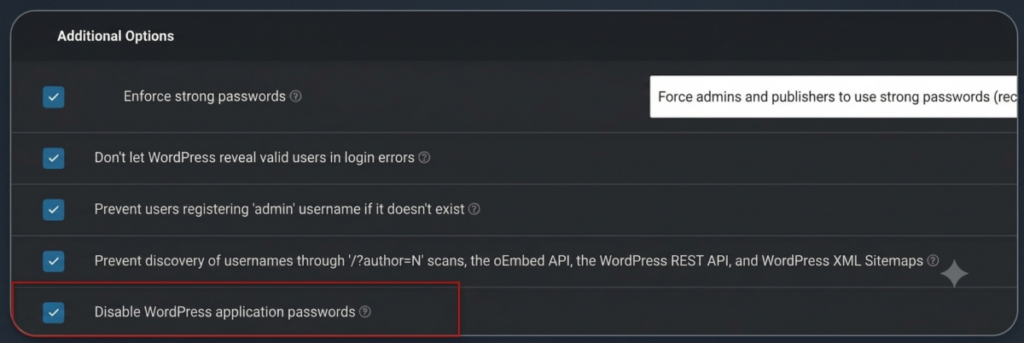
Untick Disable WordPress Application Passwords and click on Save.
Step 2: Create an Application Password in WordPress
You need an Application Password to interact with the WordPress REST API. On your WordPress Dashboard go to Users then Profile. Scroll down and find Application Passwords as below.
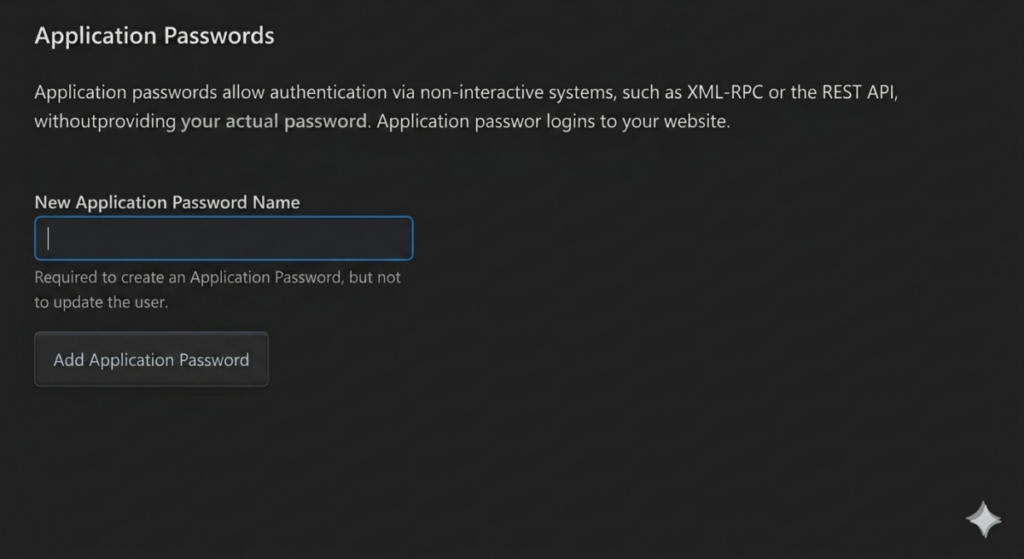
Type a new name for your app and click on Add Application Password.
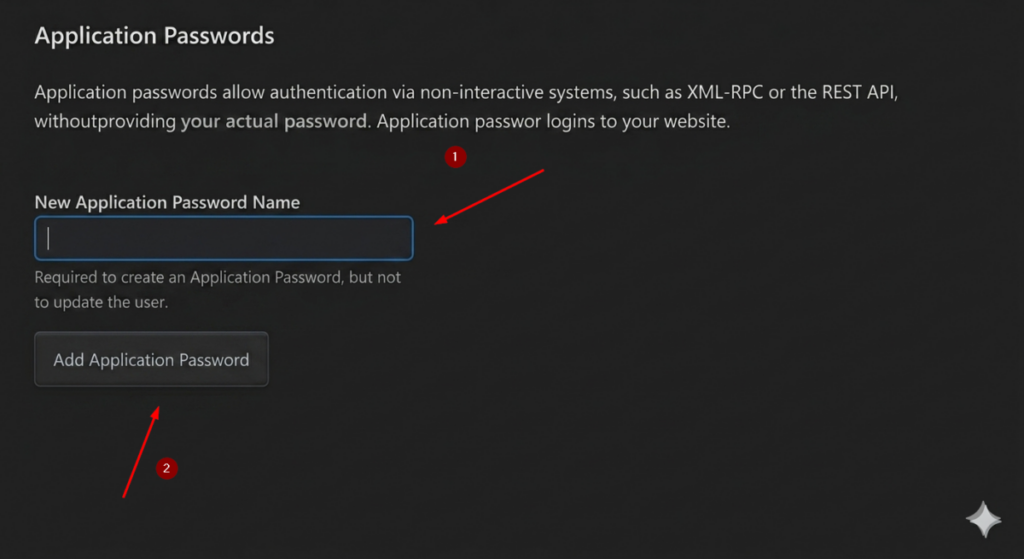
Copy and save the password generated in a text editor as you will need it later.
Step 3: Download wordpress-automaton from Github
To download the wordpress-automaton source code type:
git clone https://github.com/JamithNimantha/wordpress-automaton.gitStep 4: Create a Python virtual environment
Change current directory:
cd wordpress-automatonTo create the virtual environment for the Python script type:
python -m venv .venv
To activate the Python virtual environment type:
.venv\Scripts\activateStep 5: Install the requirements via requirements.txt
To install the packages required to bulk delete pending WordPress comments, run the following command:
pip install -r requirements.txtStep 6: Configure the .env file with your Application Password credentials
wordpress-automaton reads the login credentials from a .env file. Configure it as below:
WP_SITE_URL=url_of_your_site_here
WP_ADMIN_USER=wordpress_user_such_as_admin_or_whatever
WP_ADMIN_PASS=the_password_application_here
Save the changes in the .env file.
Step 7: Bulk delete WordPress pending comments
To delete WordPress pending comments in bulk type:
python comment-delete.py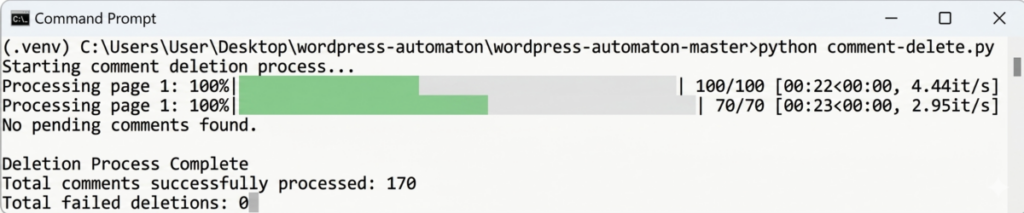
Final thoughts
In this tutorial, you learned how to bulk delete WordPress pending comments step-by-step using a Python script called wordpress-automaton.